
What a Middlesex County Court Docket Shows
A court docket is not the case file itself. It is the official log of everything that has happened in a case, listed in date order. Each line is a docket entry: a date, a brief description of the event or document, the party responsible, and sometimes a result. The docket sheet is a road map. It tells you what was filed, when hearings were held, what orders came out, and how the case ended. It does not usually include the full text of the documents it references.
In Middlesex, dockets come from the Massachusetts Trial Court system. A criminal docket may show the complaint or indictment, the arraignment date, bail conditions, motions and rulings, a plea or trial date, the verdict, any sentence, and later entries like probation or warrant activity. A civil docket shows the complaint, service dates, the answer, motions, judge's orders, a trial or judgment date, and execution or appeal activity. Probate dockets list the petition, any hearing on the petition, appointments, accounts, and final decree. Family court dockets track divorce or custody stages, though certain documents like financial statements are not public. The docket is often the first thing an attorney, journalist, researcher, or member of the public looks at to understand where a case stands.
One key point: public web access to Middlesex dockets shows you the event log and, in many cases, hearing dates and case status. The actual pleadings, motions, affidavits, and orders are often not downloadable through the public portal. For those, you typically need to visit the clerk's office or submit a written request.
How to Search Middlesex Dockets on MassCourts
The main public tool is MassCourts eAccess, the free statewide portal run by the Massachusetts Trial Court. It is not a single Middlesex County database. Think of it as a collection of separate department-and-division dockets that all live behind one front door. A searcher who skips the department and division steps may land in the wrong court entirely and miss a real case.
- Open MassCourts eAccess. Choose a search route: name search when you do not have a docket number, docket-number search when you do, or calendar search for hearing dates.
- Select the Trial Court department. Pick Superior Court for felony indictments and large civil suits. Pick District Court for misdemeanors, small claims, civil citations, and restraining orders. Pick Probate and Family Court for divorce, custody, and estate cases. Pick Housing Court for eviction and code matters. Land Court handles registered-land and zoning disputes.
- Select the Middlesex division. The county has many district-court divisions, and a case filed in Lowell will not appear in a Cambridge or Woburn search. Match the town or city to its correct division before you search.
- Enter a last name and first name, or the docket number exactly as printed on any paperwork, including letters, hyphens, and year prefix.
- Run the search. Read each result row carefully: docket number, court name, party role, case caption, case type, filing date, and current status.
- Open the case detail. Public results show docket entries and scheduled events. Documents may not be downloadable. If you need a certified copy or a specific pleading, contact the clerk for that division.
Note: Wrong department is the most common reason a valid case does not appear. A divorce case will not be in District Court; a felony indictment from a grand jury will not stay in District Court once it moves to Superior Court.
MassCourts Docket Search Fields
MassCourts eAccess uses a set of structured fields that control what the portal returns. Understanding each field before you type saves repeated attempts. The table below lists the fields available in the public docket search, their type, whether they are required, and what format or options to expect.
| Field Label | Type | Required | Options / Format Notes |
|---|---|---|---|
| Search Type / Tab | Tab or radio | Yes | Name search, docket-number search, calendar/event search, attorney or bar-related search where enabled. |
| Court Department | Dropdown | Yes | Superior Court, District Court, Probate and Family Court, Housing Court, Land Court. Juvenile access is restricted. |
| Court Division | Dropdown | Required after department | Middlesex divisions include Woburn and Lowell Superior; Ayer, Cambridge, Concord, Framingham, Lowell, Malden, Marlborough, Natick, Newton, Somerville, Waltham, and Woburn District; Middlesex Probate and Family; and applicable Housing Court locations. |
| Case Type | Dropdown | Optional | Civil, criminal, small claims, summary process, probate, family, equity, tort, contract, abuse prevention, and other department categories. |
| First Name | Text | Optional | Use the spelling exactly where possible. |
| Last Name / Business Name | Text | Usually required for name search | Last name is the key field for individuals. Businesses may need the exact legal name. |
| Date of Birth | Date | Optional / limited | Criminal searches may not expose date of birth remotely. Use only where the portal permits. |
| Case / Docket Number | Text | Required for docket search | Format varies by court and department. Include any department prefix and year prefix if shown on paperwork. |
| Filing Date From / To | Date | Optional | Useful when searching common last names. Narrows results by filing window. |
| Case Status | Dropdown | Optional | Open/pending, disposed/closed, inactive, stayed, transferred, sealed where shown. |
| Party Type | Dropdown | Optional | Plaintiff, defendant, petitioner, respondent, appellant, appellee, interested party. |
| Search button | Button | Yes | Executes the query. |
| Reset / Clear button | Button | No | Clears all fields to start over. |
| New Search / Refine Search button | Button | No | Returns to the search form or applies additional filters to the current result set. |
MassCourts public search is free. But public web access is narrower than what a clerk at the courthouse counter can show you. The Massachusetts Trial Court Rules on Public Access to Court Records draw a clear line between what is open online and what requires a courthouse visit, a court order, or attorney access.
What a Middlesex Public Docket Record Contains
When MassCourts returns a case result, the public view shows a defined set of fields. Not every field appears in every case type, and some fields are redacted or hidden by court rule. The list below reflects a typical public case display in Middlesex as of May 2026.
| Field | What It Shows |
|---|---|
| Case Number / Docket Number | Department-specific format, typically a year plus department, division, and case sequence. |
| Case Name / Caption | Plaintiff v. defendant, Commonwealth v. defendant, petitioner and respondent, estate name, or domestic-relations caption. |
| Court | Department and division, such as Middlesex Superior Court or Lowell District Court. |
| Case Type | Civil action, criminal, small claims, summary process, divorce, probate, equity, abuse prevention, or guardianship. |
| Filing Date | Date the case was filed or the complaint was issued. |
| Status / Disposition | Open, active, closed, disposed, dismissed, judgment, transferred, or impounded/sealed where shown. |
| Parties | Names and roles. Personal identifiers such as Social Security numbers are redacted. |
| Attorneys | Counsel names may appear. Bar numbers may be shown depending on view. |
| Docket Entries | Complaint filed, summons issued, answer, motion, opposition, hearing scheduled, order, judgment, notice of appeal, disposition, warrant, default, continuance. |
| Events / Hearings | Date, time, session or courtroom, event type, and judge or session where public. |
| Documents | Not all pleadings are downloadable through public eAccess. Clerk copies may be required. |
| Financial Fields | Civil fees, assessments, fines, restitution, and bail/bond fields may be limited or absent from the public view. |
| Redactions | Social Security numbers, financial account numbers, minor names, victim and witness identifiers, medical information, and impounded materials are restricted. |
For a full breakdown of what case records contain beyond the docket, see Middlesex County court records.
Middlesex County Court Hearing Calendars
MassCourts eAccess includes a calendar or event search route. That tab lets you look up scheduled hearings by court, division, case type, date range, or judge session. It is useful when you know a hearing is coming and want to confirm the date and courtroom without calling the clerk. It is also used by attorneys and journalists to track cases in real time.
Calendars in Middlesex can shift. A judge may reschedule a session, a case may be continued to another date, or an emergency motion may add a hearing that was not on the original calendar. For anything time-sensitive, a phone call to the clerk is the safest move. The calendar search gives a picture of what is planned, not a guarantee of what will happen.
Not every court type publishes a full public calendar. Superior Court sessions and District Court motion sessions are generally visible. Some specialized sessions, such as mental-health hearings or sealed matters, may not appear in a public calendar view. Juvenile Court hearing information is largely restricted. If a calendar entry is missing, call the clerk for that division directly.
Middlesex Court Docket Entry Glossary
Docket entries use legal terms that are not always self-explanatory. Massachusetts adds a few state-specific terms that trip up readers who are used to other states. The definitions below cover the terms most likely to appear on a Middlesex criminal or civil docket.
- CWOF
- Continuance without a finding. A Massachusetts-specific criminal disposition in which the court accepts a guilty plea as a basis but does not enter a guilty finding. The case is continued, typically with probation conditions. If the conditions are met, the case is dismissed. CWOF is not the same as a not-guilty finding. It can appear on a CORI report and, in some cases, can later be sealed.
- Nolle prosequi
- A formal notice from the prosecution that it will not pursue a charge. The entry means the Commonwealth has chosen to drop that count. A nolle prosequi on one charge does not mean all charges in the case are dropped.
- Default
- In a civil case, default means a party failed to respond or appear within the required time. The court may enter a default judgment against the non-appearing party. In a criminal case, a default means the defendant failed to appear, which can result in a warrant or capias being issued.
- Judgment nisi
- A preliminary divorce judgment that takes effect and becomes absolute after the statutory waiting period, provided no legal bar arises during that time. It is the step before a divorce becomes final in Massachusetts. The nisi period is set by statute and is tracked as a docket entry in Probate and Family Court.
- Impounded
- Public access to an impounded docket or document is restricted by court order or by rule. An impounded case may appear only as a case number, or may not appear at all in public results. Impoundment can be ordered to protect victims, minors, ongoing investigations, medical information, or other sensitive content.
- Rescript
- An appellate court's written decision or order returned to the lower court for action. When the Appeals Court or Supreme Judicial Court issues a rescript, a docket entry at the trial level notes the directive sent down from the higher court. Rescript entries explain why a case may reopen after an appeal.
For a wider list of general court terms used in Middlesex cases, see the Middlesex County Court Records FAQ.
Docket vs. Full Case Record in Middlesex
The docket and the full case file are two different things. Most people run into this difference when they find a case in MassCourts but cannot download the actual complaint or order. The docket tells them it exists; the case file holds the documents. The table below outlines the differences.
| Court Docket | Full Case Record | |
|---|---|---|
| What it is | A chronological log of all case events and filings | The actual documents: complaints, motions, orders, exhibits, transcripts |
| Public access | Often available online through MassCourts for free | May require an in-person visit, written request, or fee |
| Best use | Track case status, find hearing dates, confirm dispositions | Legal review, copying pleadings, obtaining certified evidence |
| Certified copy | Clerk can certify a docket sheet printout | Clerk certifies individual documents in the case file |
| Remote availability | High for most adult, non-sealed dockets | Low to none for most pleadings through the public web portal |
If you need proof of a disposition for employment, immigration, licensing, or another court, the receiving agency usually wants a certified or attested copy, not a printout from your screen. Ask the clerk for that department what form is accepted before you pay for a plain copy.
Missing or Sealed Entries in Middlesex Dockets
A blank result in MassCourts does not always mean no record exists. Several things can hide a docket from public view. The most common problems are a wrong department, a wrong division, a spelling variation in the name, or a recently filed case that has not yet updated in the portal. Old cases may be archived and need a written retrieval request from the clerk. Sealed and impounded cases may show nothing at all, or may show only a restricted placeholder.
Juvenile matters are the main exception. Most Middlesex Juvenile Court records are confidential by statute and should not be expected to appear in a public docket search. Mental-health commitment proceedings, abuse-prevention affidavits, victim identifiers, and adoption records are similarly restricted. Probate and Family Court dockets may be visible while certain documents inside them, such as financial statements or child-related filings, remain off-limits.
Important: If someone recently appeared in court but the docket has not updated yet, call the clerk directly for urgent hearing-date or status verification. Online dockets can lag by hours or days after a court event.
Common names present a different challenge. Use a filing date range, case type, or division filter to narrow results when a last name alone returns too many hits. If none of those filters help, call the clerk's office and give them the name, approximate date, and court type. Clerks can search systems that go deeper than the public web portal.
Appeals and Docket Cross-References
When a Middlesex case is appealed, the trial-level docket does not move to the appellate court. Instead, a new docket number is assigned in the Massachusetts Appeals Court or the Supreme Judicial Court. The trial docket gets an entry noting that a notice of appeal was filed. The appellate docket carries its own event log, its own briefs, and its own orders. To follow a case through the full system, you need to search both the trial docket and the appellate docket separately.
Appellate dockets are searchable through the Massachusetts appellate court public access systems, not through MassCourts eAccess. The trial-court docket number often appears as a cross-reference in the appellate docket's early entries, so noting the trial docket number before switching systems helps connect the two. A rescript entry in the trial docket signals that the appellate court has sent a decision back down, and it usually follows an appellate ruling that changed or confirmed something at the trial level.
Massachusetts General Laws Chapter 231, Section 118 governs interlocutory appeals in civil matters, providing a route to the Appeals Court before a final judgment. The M.G.L. c.231, § 118 statute page describes when a party may seek review of an interlocutory ruling and what the appellate court may do with it.
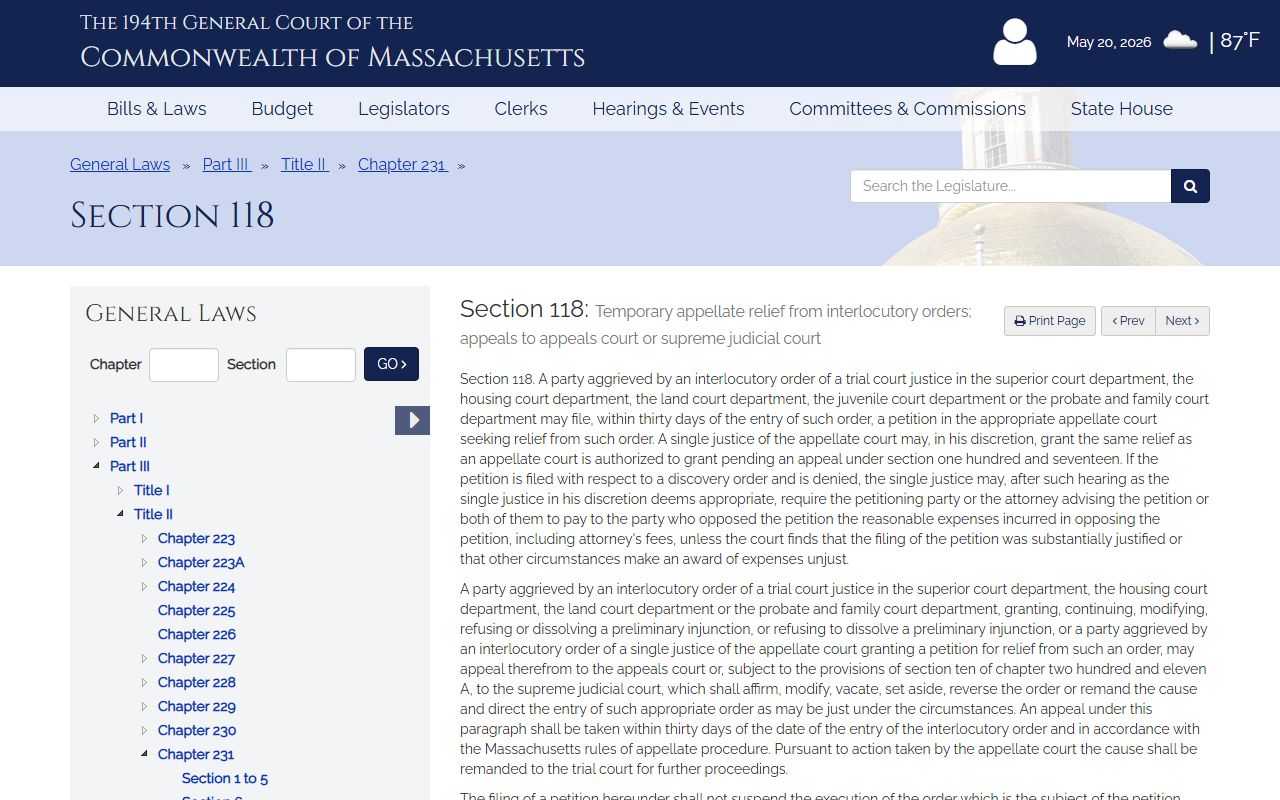
That statute is relevant to Middlesex civil dockets where an interlocutory appeal entry appears, because the trial case may pause or proceed on a partial basis while the appellate court considers the question.
For federal cases touching Middlesex, the trial-court docket is in the U.S. District Court for the District of Massachusetts and is searched through PACER, not MassCourts. Federal appeals from that court go to the U.S. Court of Appeals for the First Circuit, which has its own docket system. A federal case will not appear in the MassCourts portal even if it involves Middlesex parties and facts.
Certified Docket Copies in Middlesex
A certified docket copy is a printout of the docket sheet that the clerk has authenticated as a true and accurate record. It carries the court's seal or the clerk's attestation. Many government agencies, employers, immigration courts, and licensing boards require a certified copy rather than a screen printout or an uncertified photocopy. The certified copy is the official proof that a case existed and how it ended.
To get a certified Middlesex docket copy, you contact the clerk for the specific department and division that handled the case. Superior Court certified copies come from the Clerk of Courts office at Middlesex Superior Court. District Court docket copies come from the clerk-magistrate's office at the relevant division. Probate and Family Court copies come from the Register's office. Each has its own fee schedule. The statutory source for court copy fees is M.G.L. c.262, § 4C, though actual amounts depend on the department, copy type, and whether certification is required.
You can request copies by mail, in person, or in some cases through a clerk's electronic request process. Include the full case caption, the docket number, the department, the division, and a description of what you need. If you are requesting for a legal deadline, say so. Old or archived cases may take longer and may carry a retrieval charge on top of the copy fee. Always confirm the current amounts and accepted payment methods with the clerk before submitting a request.
Note: If a copy is needed for immigration or an out-of-state court, confirm whether a certified copy or an apostille is required before paying for a plain printout. The standards differ, and the wrong document type will not satisfy the receiving agency.